REST API
The Time Log REST API lets you get more out of your Time Log data. Query by any combination of filters, then pass the results to your in-house reporting suite or data warehouse. Anything the extension records, your own code can read back — and create, amend and delete, so time logged in another system can be brought in without anyone retyping it.
What you need
Section titled “What you need”Three things, all on the Time Log Admin page (Project settings → Extensions → Time Log Admin):
- Your organisation ID. Shown in the top right corner of the page, with a button to copy it. Every URL starts with it, and it is what scopes a request to your data.
- Your REST API key. The Time Log REST API Key setting, issued with your licence agreement. It is the only credential the API needs, and it goes in the
x-functions-keyheader of every request. - The root URL.
https://boznet-timelogapi.azurewebsites.net/api/for the hosted service. An on-premises deployment has its own, which is whatever is in the Time Log REST API URL setting.
Your first request
Section titled “Your first request”Every endpoint has the same shape — root URL, your organisation ID, then the path — and the API key travels in the x-functions-key header. This asks for everything logged in January:
curl -H "x-functions-key: YOUR-API-KEY" \ "https://boznet-timelogapi.azurewebsites.net/api/YOUR-ORGANISATION-ID/timelog/query?fromDate=2026-01-01&toDate=2026-01-31"Which comes back as JSON, one object per entry:
[ { "timeLogId": "ca42579e-6a00-464c-bcaa-7987cbf374bb", "comment": "Fixing the import", "week": "2026-W02", "timeTypeDescription": "Development", "minutes": 120, "date": "2026-01-08", "userId": "a96193a0-51e5-482b-9bcb-b1efcef4b170", "userName": "Anna Smith", "userEmail": "anna@example.com", "workItemId": 3814, "projectId": "31b3d8f8-1092-4f88-9847-7cc3b4f0eb9d", "createdOn": "2026-01-08T17:04:11.98", "createdBy": "Anna Smith", "updatedOn": null, "updatedBy": null, "deletedOn": null, "deletedBy": null }]At least one filter is required, so a query cannot accidentally ask for every log an organisation has ever recorded. Beyond the dates above you can filter by work item, project, user, team, time type or ISO week, and by when a log was created, updated or deleted — which is what an incremental nightly extract into a warehouse uses to pick up only what has changed since it last ran.
Full reference, with every endpoint and worked examples: REST API reference.
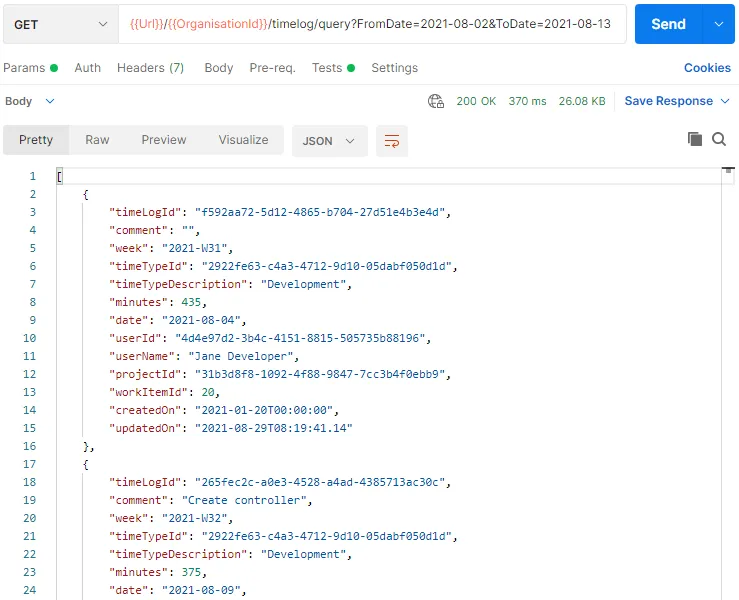
An example query in Postman:
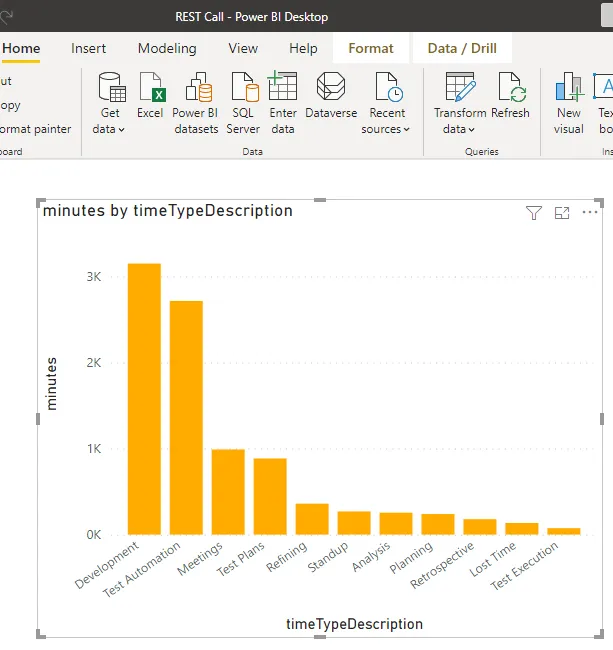
An example chart in Power BI, extracting and presenting the same data: