
Time Log for Azure DevOps
Keep Completed and Remaining time accurate on every task — without the manual bookkeeping. Time Log lets each team member record time against work items in a couple of clicks, keeps Azure DevOps scheduling fields (Completed / Remaining / Original Estimate) in sync automatically, and rolls everything up into team reports, personal timesheets, a weekly shortfall report and an analytics dashboard.
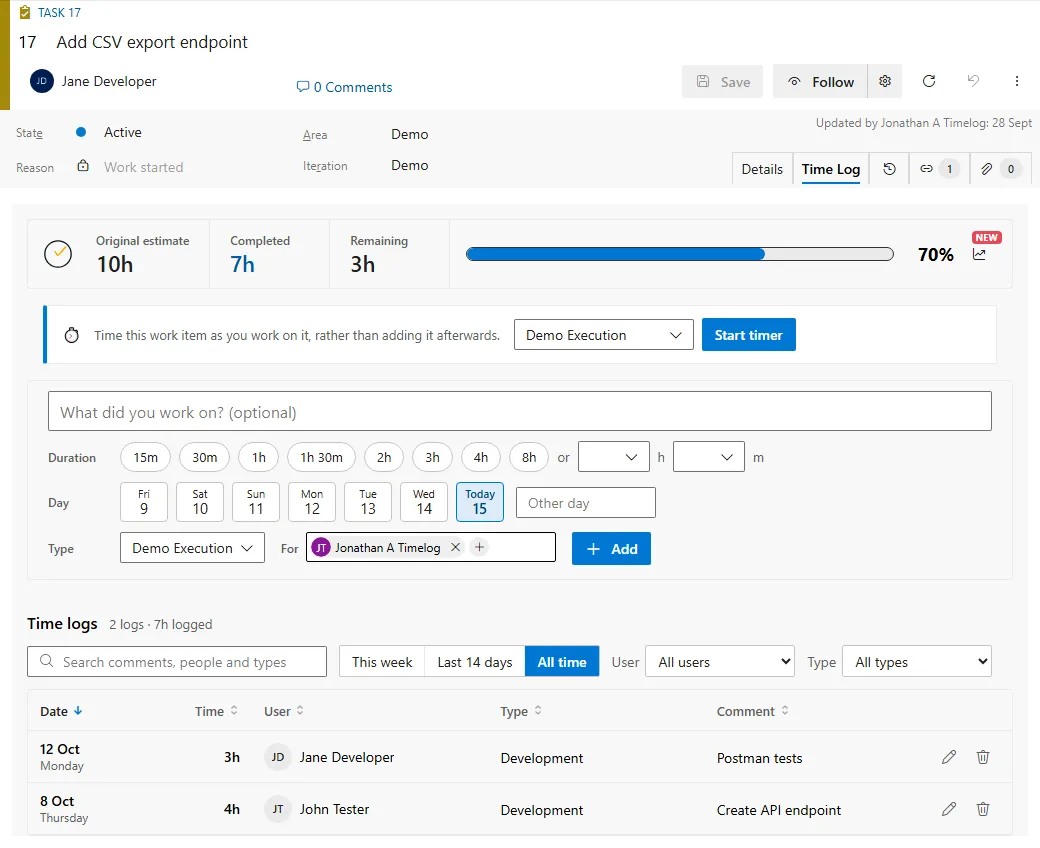
Take the tour
Section titled “Take the tour”Why teams use it
Section titled “Why teams use it”- Logged time updates Completed and Remaining automatically — no double entry, no drift.
- Report time accurately by project, team and time type for planning and billing.
- Give every user a personal weekly timesheet (My Time Log) with a configurable target.
- Spot under-logging early with the Weekly shortfall report.
- Visualise logged time with charts and summary tables via the Analytics Dashboard.
- Set capacity from actual values, and record, monitor and reduce waste.
- Automatically set Remaining work when it is missing on new work items.
- Full REST API for integration with your own applications, reporting suite or data warehouse.
Where to next
Section titled “Where to next”Getting startedInstall, set your API key and log your first entry.
Logging timeRecord time against a work item from the Time Log tab.
Time Log SummaryWho logged what, against which work item, in which week.
ConfigurationEvery admin setting and what it changes.
Release notesWhat changed, up to version 2.0.48.
REST APIQuery your time log data from your own reporting suite.